The general idea
Your company pays Circle in one way of two, and the two cannot be combined:
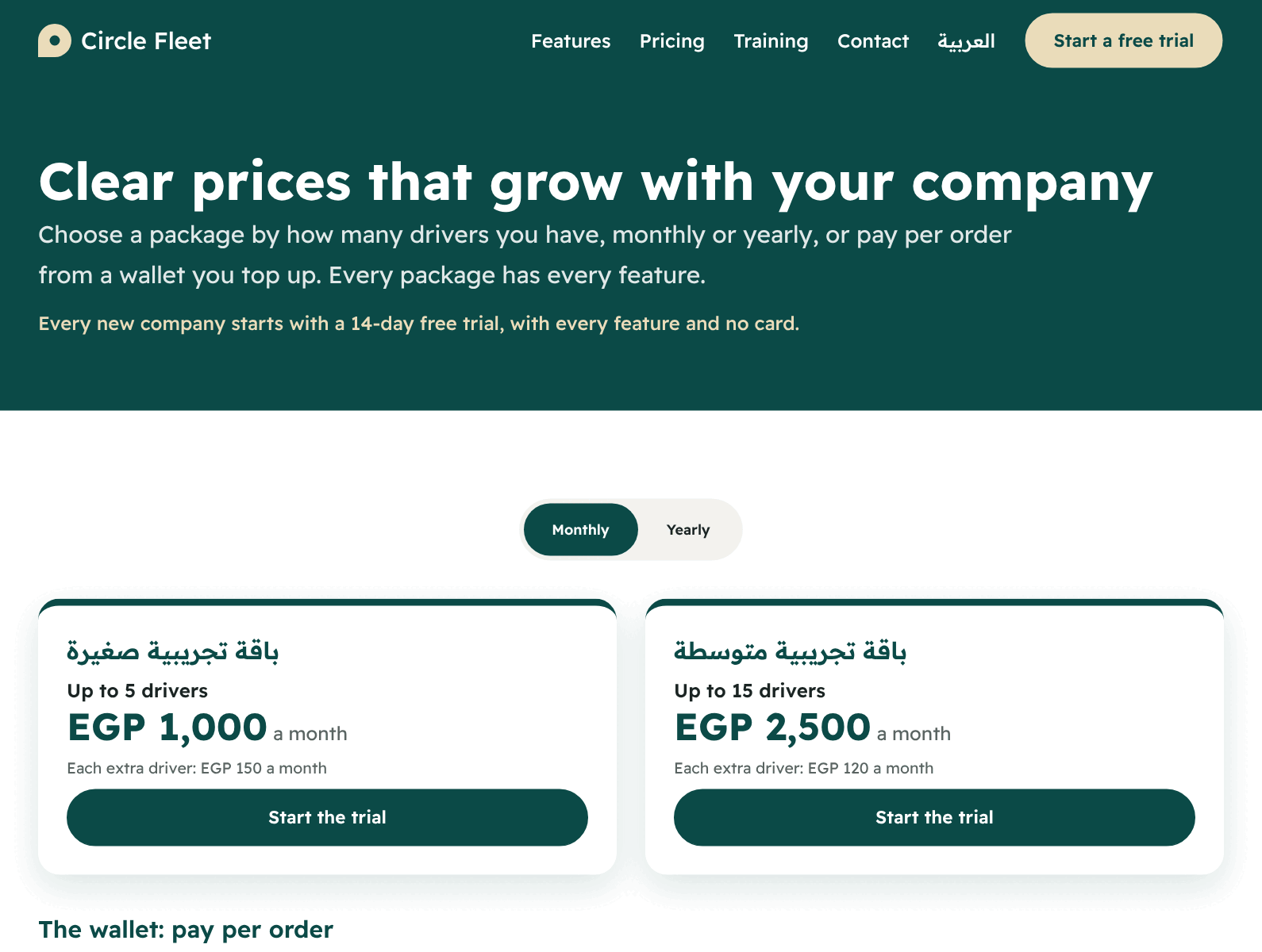
| The package | The wallet | |
|---|---|---|
| How you pay | A fixed amount every month (or every year) | You top up a balance in advance, and each order’s price is taken from it |
| What the price depends on | The number of drivers | The number of orders |
| How the bill reaches you | An invoice you pay | Entries in the wallet (top-up, charge, refund) |
| Suits | A company with a steady number of drivers and many orders | A company with few orders, or orders that change from month to month |
All prices exclude VAT, which is added on the invoice at a rate Circle sets.
The package
Every package has:
- A name, and a limit on drivers (“Up to N drivers”).
- A monthly price, and maybe a yearly price paid in advance once a year (shown with “Save N%”). Some packages are monthly only, and the page says “This package is monthly only”.
- The extra-driver price: if you have more drivers than the limit, your company does not stop. Each extra driver is charged at its monthly price. It is counted by the most drivers who checked in on any one day of the month, and added to the next month’s invoice.
- The features included: each package lists what it includes and does not include.
The wallet and its tiers
In the wallet you choose a tier yourself. Each tier has:
- A price for one order.
- “Starts from the month’s order N”.
- A monthly minimum: the number of orders before the tier starts. So a tier starting from order 101 has a minimum of 100 orders. The first tier (from order 1) has no minimum.
How an order’s price is worked out
- When you choose a tier, its price is charged on each order from the first order of the month.
- As the month’s orders grow and reach the start of a cheaper tier, the price drops by itself from that order. It does not go up again in the same month.
- An order cancelled before the driver picks it up is refunded and does not count among the month’s orders.
- An order that was delivered, failed, or cancelled after pickup stays charged and counts.
- During the free trial nothing is charged.
The minimum: what if you do not reach it?
If the month ends and your orders are below the minimum of your tier, this is taken from your wallet on the first day of the next month:
- It is taken once for each month.
- It is the only charge that can take your balance below zero. Then new orders stop until you top up.
- If your tier started mid-month, that month’s minimum is cut in proportion to the days left.
- Days and months are counted in your company’s time zone.
An example with made-up numbers
The balance never goes below zero because of an order
If your balance does not cover the next order’s price, the new order is refused (the error “The wallet balance does not cover the order”) until you top up. Orders already under way finish as usual. A bar warns you on the board when the balance gets low, before it reaches that point.
How to choose the right one
Ask yourself three questions:
- Is my number of drivers steady? If yes and your orders are many, a package is usually better, because the price does not rise with orders.
- Do my orders change a lot, or are they few? A wallet: you pay as much as you work.
- Can I commit to a monthly number of orders? In the wallet, a higher tier is a cheaper order but with a minimum. Choose the tier whose minimum you are sure to reach.
Where to choose, step by step
Open “Subscription and payments” from the menu (the “Money” group). This page is for the owner; the accountant may view and pay.
To choose a package
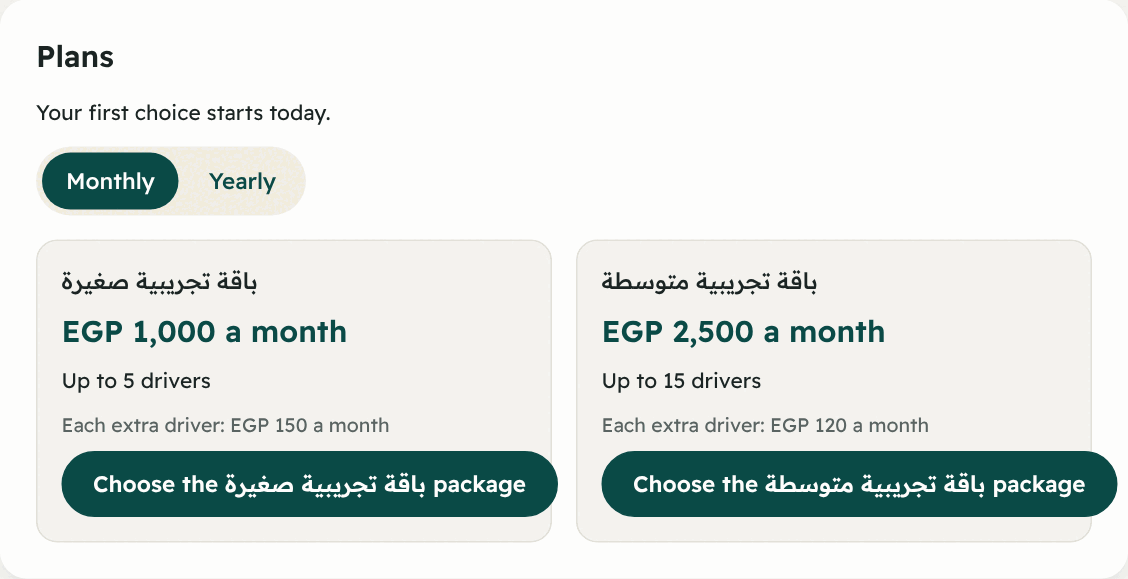
- In the “Plans” section choose the billing period: “Monthly” or “Yearly”.
- You see each package with its price, its drivers and the features it includes and does not include.
- Press “Choose the … package” on the package you want.
To choose a wallet tier
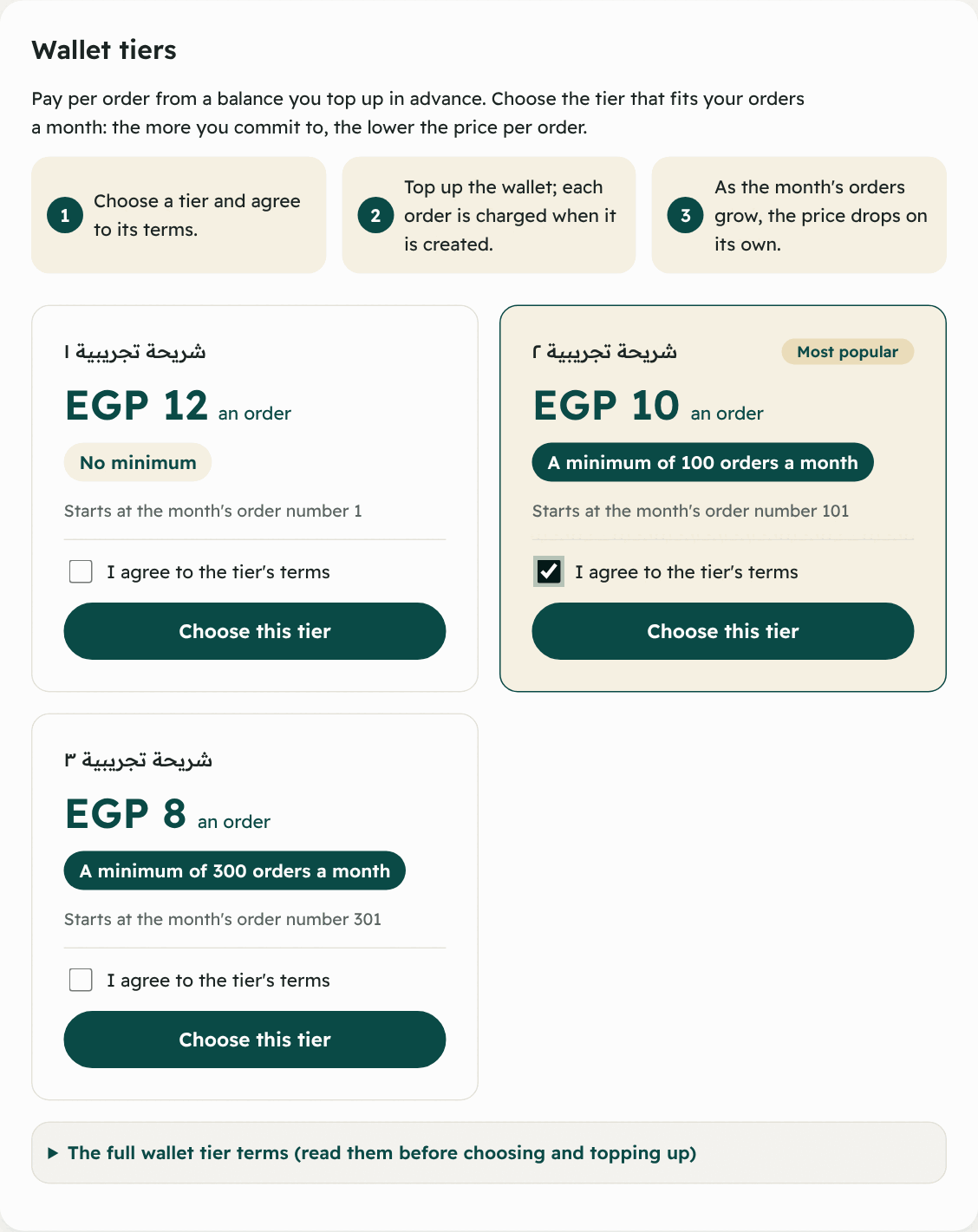
- Go down to “Wallet tiers”. There are short steps: choose a tier and agree to its terms → top up the wallet → the price drops by itself as the month’s orders grow.
- Each card shows the price “an order”, “Starts from the month’s order …”, and “A minimum of … orders a month” (or “No minimum”). One may carry “Most popular”.
- Read “The full wallet tier terms” shown above the cards.
- Tick “I agree to the tier’s terms”.
- Press “Choose this tier”.
When does your choice start, and when can it change?
- The first choice starts today.
- Any change after it (even a change of tier) starts on the first day of next month.
- If your package is yearly, any change starts after its year ends. There is no refund if you leave early.
- The page shows “Your plan now” and the next plan “Starts on …”.
Extra features
Some features may not be in your package or may not suit the wallet, and you can buy a feature on its own for a monthly price. The first month costs only its days left.
Examples of these features: Paying online, Support tickets, Prices by area, Alerts, Phone notifications, PDF reports, Editing roles, Check-in at set places, Automatic dispatch, Batching orders going the same way.
- You find them under “Extra features” at the bottom of “Subscription and payments”. Each shows its state: free during the trial, included in your package, on, waiting for payment, or off.
- Wallet: press “Turn on” and the first amount is taken from the balance at once, then renewed on the first of each month.
- Package: you pay the first amount online, then it is added to your invoice each month.
- If you move to a package that includes the feature, the extra one ends by itself so you do not pay twice.
- To stop it press “Cancel the feature”. It stays on until the end of the paid month.
- If the wallet balance cannot cover its renewal it stops (“Stopped: the balance did not cover a new month”). Top up, then turn it on again.