Who is a “client”?
A client is a restaurant, a shop or a person you deliver for. A client has:
- A name, and a phone (optional).
- At least one branch: the pickup place the order leaves from. It may have many branches, one of them the default.
- One account or more for the people who use the client app.
- A status: “Active”, “Waiting for approval”, “Suspended” or “Rejected”.
- A delivery price (unit 8).
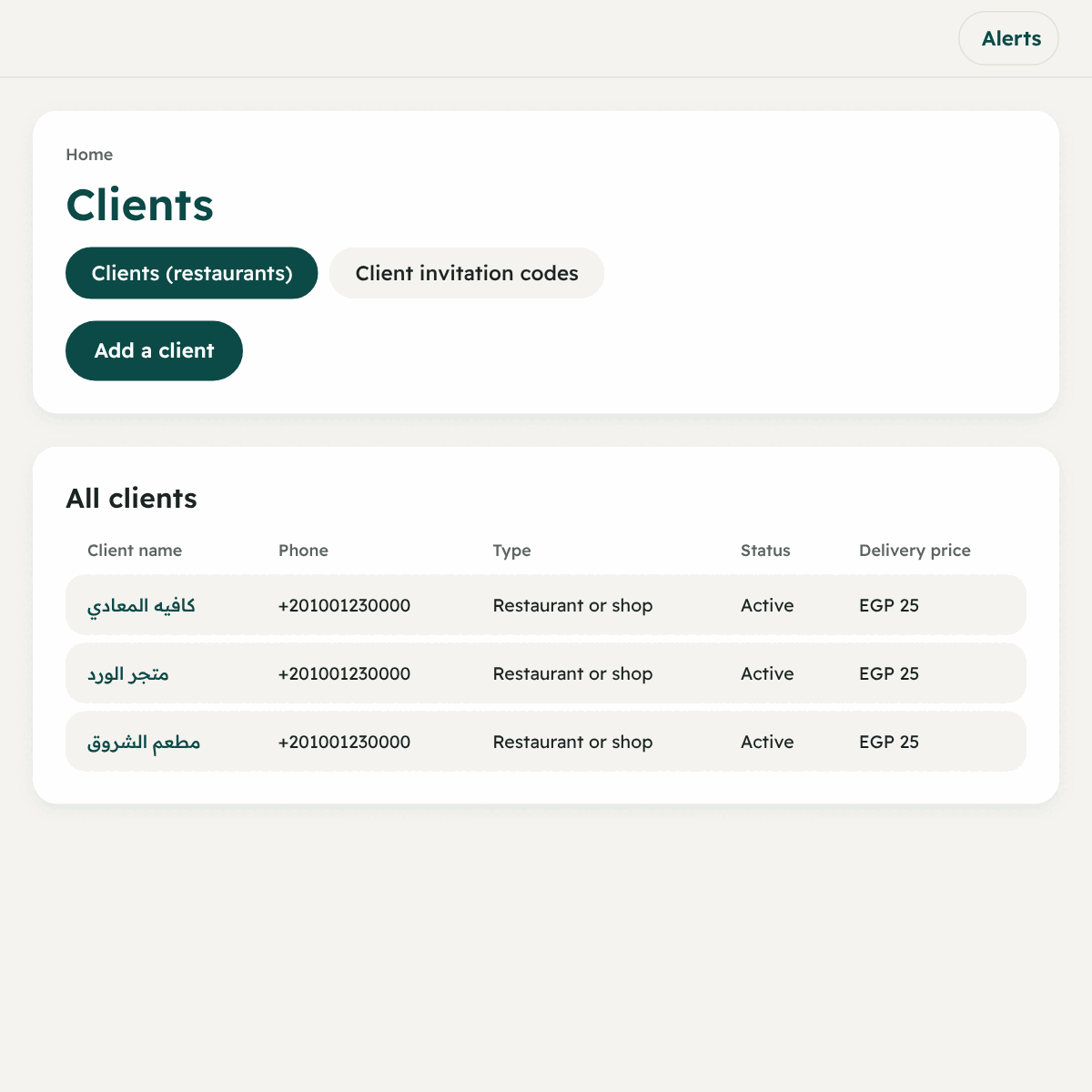
Way 1 (the easiest for the client): an invitation code
The client signs up from their app and you approve. This saves you typing their details.
First: you create the code
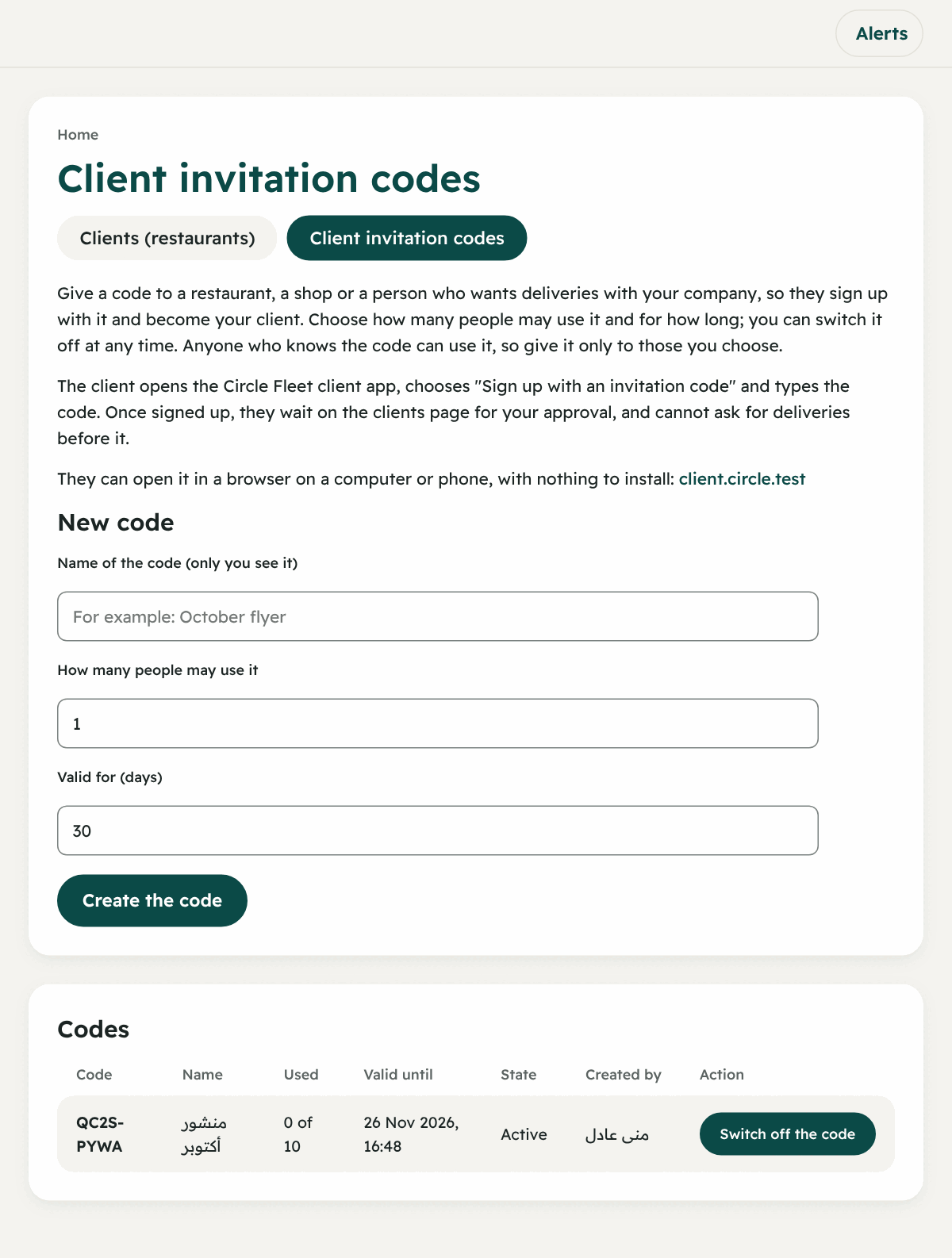
- From the menu → “Client invitation codes” (the “People” group).
- Under “New code” type:
- Name of the code (only you see it), like “October flyer”.
- How many people may use it: 1 to 1000.
- Valid for (days): 1 to 365.
- Press “Create the code”. The code shows in a form like
K7P4-QXM2(8 letters and digits). - Give it to the restaurant. Under “Codes” you see each code, how many used it, until when it is valid, and its state: “Active”, “Used up”, “Expired”, “Switched off”. You can “Switch off the code” at any time.
Second: the client signs up
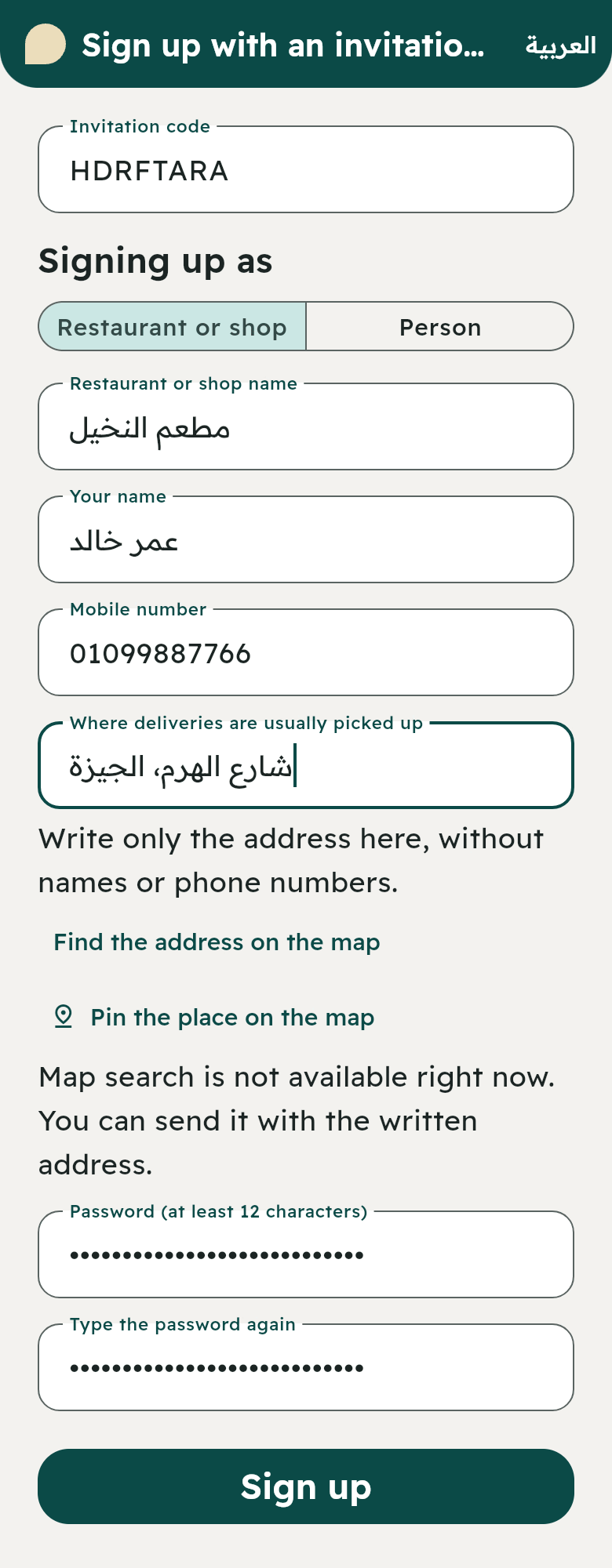
The page itself explains to the client, and shows the address of the ordering website they can open from a browser with nothing to install. Or they download the Circle Fleet app for Android from our website. Then:
- They choose “Sign up with an invitation code”.
- They type: Invitation code → Signing up as (Restaurant or shop / Person) → Restaurant or shop name → Your name → Mobile number (11 digits starting with 01) → Password (at least 12 characters) → Where deliveries are usually picked up.
- As they type the address, suggested places show for them to pick the right one, or they pin the place on the map by hand.
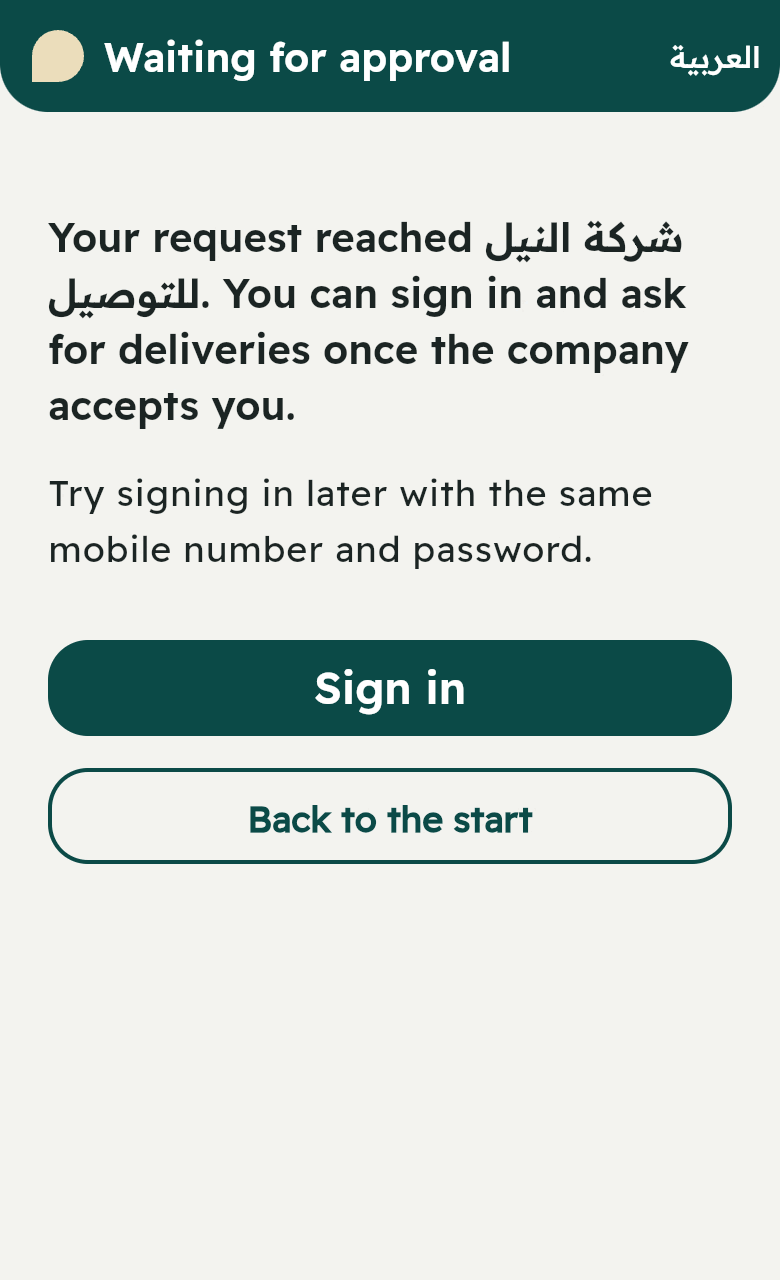
- They press “Sign up”. “Waiting for approval” shows. They cannot sign in or ask for a delivery until you accept them.
Third: you approve
- On the “Clients” page a section shows: “New clients waiting for your approval”.
- Press “Accept” or “Reject”.
- After acceptance the client signs in with their mobile number and password, and can order.
Way 2: you add the client yourself
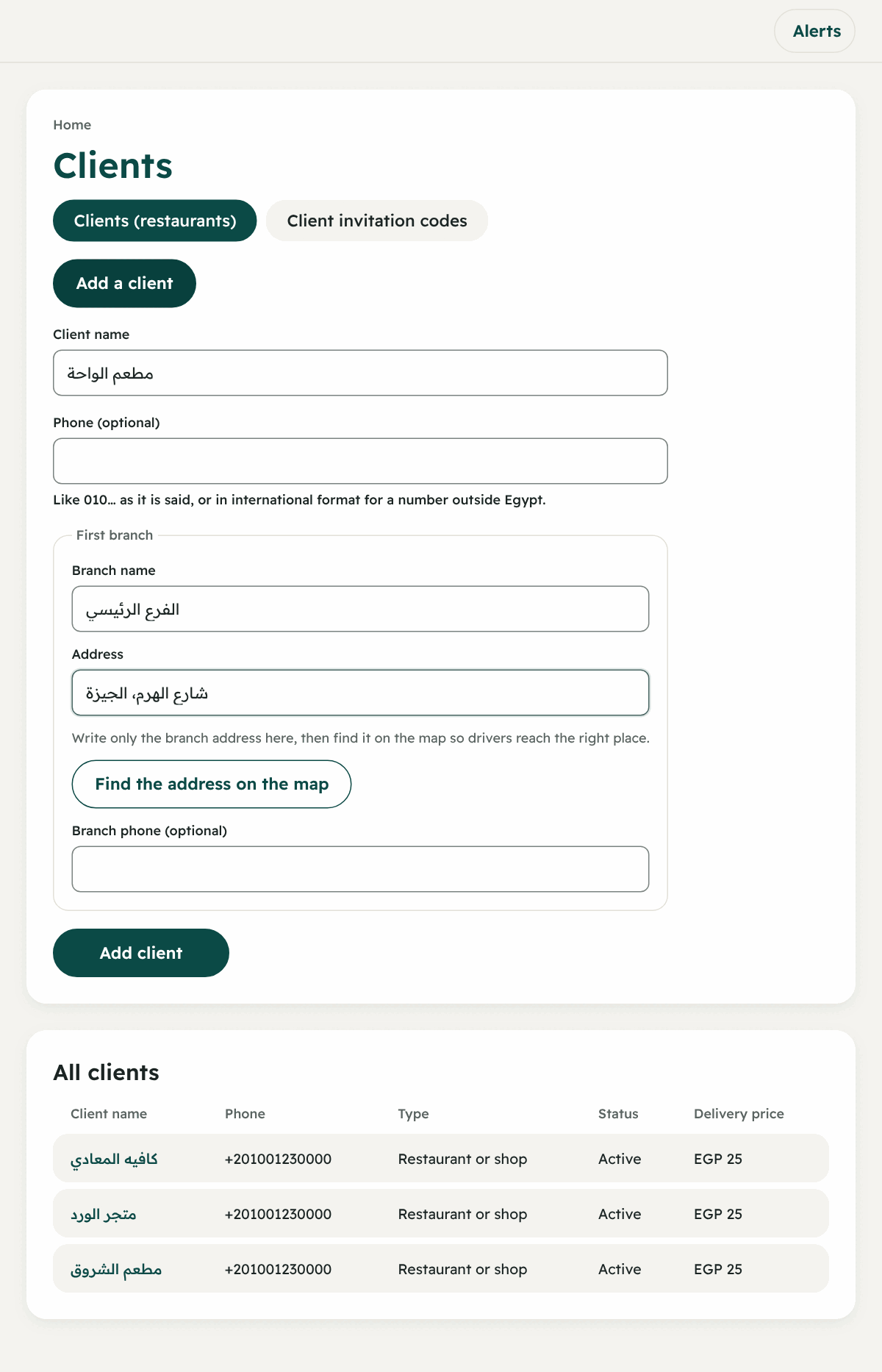
- “Clients (restaurants)” → the button “Add a client”.
- Type the client name and the phone (optional).
- “First branch”: branch name and address, and the branch phone (optional).
- Type the address only, then find it on the map and choose the right place so the driver arrives exactly. Or “Pin the place on the map” by hand. The branch can also be saved without a point if that fails.
- Press “Add client”.
- From the client’s page → “Add the restaurant owner”: the name and email, and a temporary password shows once for you to hand over.
The client’s branches
From the client’s page (press the name in the list), the “Branches” section:
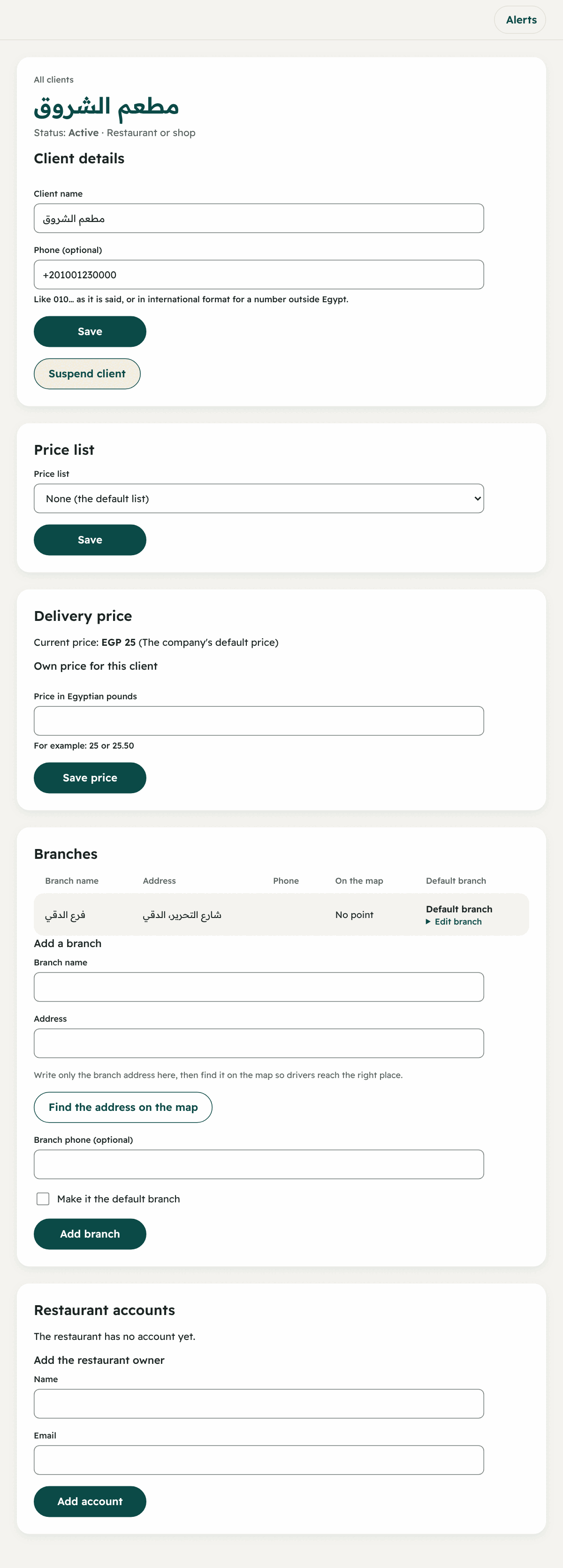
- “Add a branch”: name, address, phone, and the choice “Make it the default branch”.
- “Edit branch” or “Make default branch” for any branch.
- The column “On the map” shows whether the branch has a point. An order whose branch has a point shows its pickup place on the live map, so the driver finds it easily.
When an order is created, the dispatcher (or the client) chooses the pickup branch, otherwise the default branch is used.
Editing and suspending a client
- “Client details”: change the name or phone, then “Save”.
- “Suspend client”: nobody from the restaurant can sign in, and no orders can be created for them. “Reactivate client” brings them back.
- “New temporary password” on each account in “Restaurant accounts”: it shows once and ends their sessions, and they choose their own when they sign in.
The client’s team: the restaurant owner adds them
The restaurant owner, from their app → “Team accounts” → “Add a person”:
- The name and mobile number and the access:
- Owner: everything, including team accounts.
- Deliveries: ask for, follow and cancel.
- Accounts: statements and invoices.
- Which orders they see: “all the account’s orders” or “only the orders they ask for”.
- A one-time password shows once, so the owner copies it and hands it over.
They can stop someone’s access or give them a new one-time password. And the restaurant always keeps at least one owner.