The money cycle in one delivery
An example with made-up numbers: an order whose “Cash to collect” is 150, and the delivery price for this restaurant is 20.
- The driver delivers and takes 150 in cash from the receiver → they record “Delivered” and the amount in the app.
- These 150 are with the driver now (they show in “Driver cash” as “Holds now”).
- The driver hands them to your company, and you record the receipt → “Holds now” goes down.
- The restaurant’s account: 150 is owed to it (what we collected for it), and 20 is owed by it (the delivery price). The net owed to it is 130.
- When you pay the restaurant you record “a payment to the client”, and its balance goes down.
1) Driver cash
“Driver cash” (the “Money” group). For each driver:
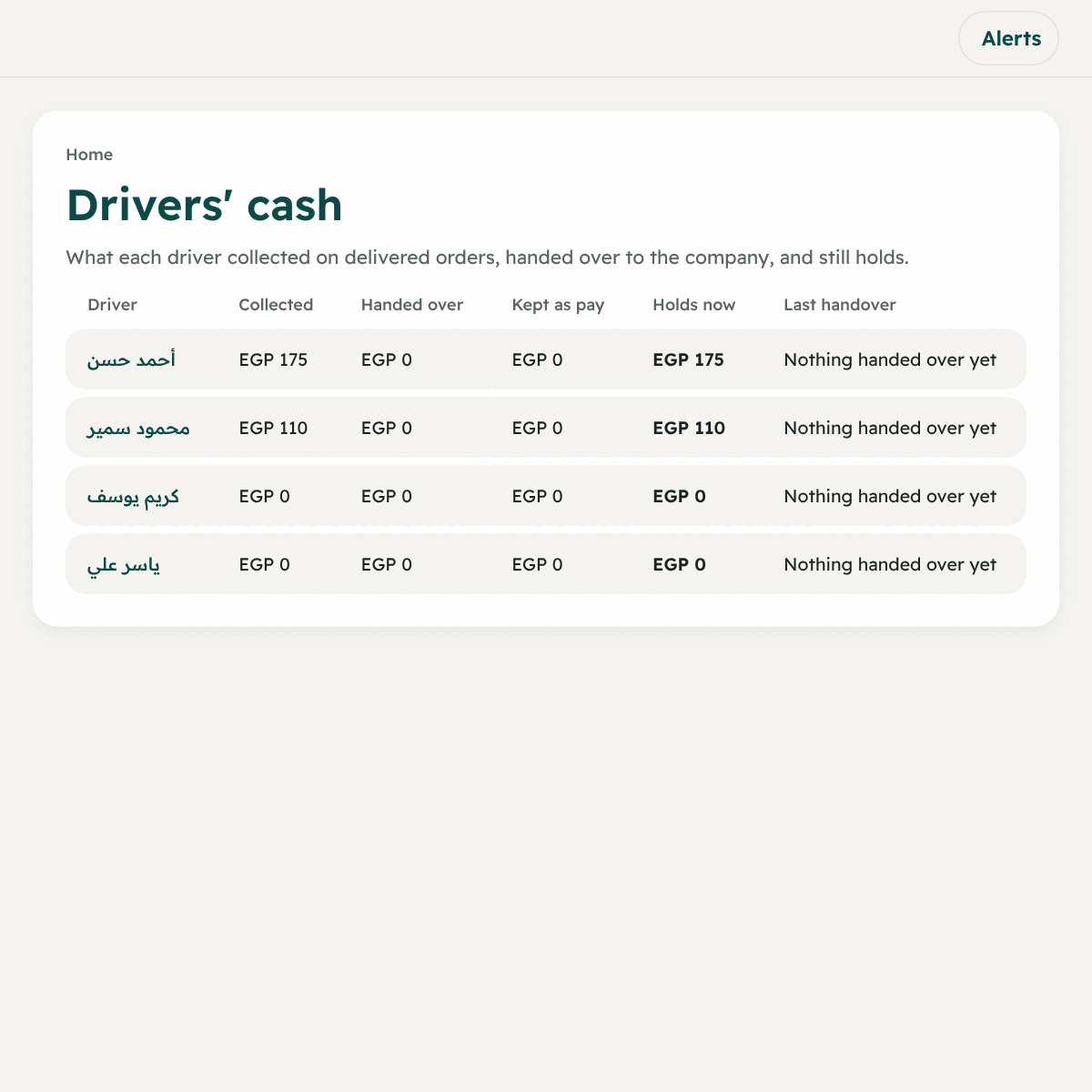
| The column | What it means |
|---|---|
| Collected | The total of what they took from delivered orders |
| Handed over | What they really handed to you |
| Kept as pay | What they took from the cash as part of their pay |
| Holds now | What is left with them |
| Last handover | The date of the last handover |
Recording cash received from a driver
- Press “Cash details” on the driver.
- Under “Record cash received from the driver” type the amount received in EGP and an optional note.
- Press “Record”.
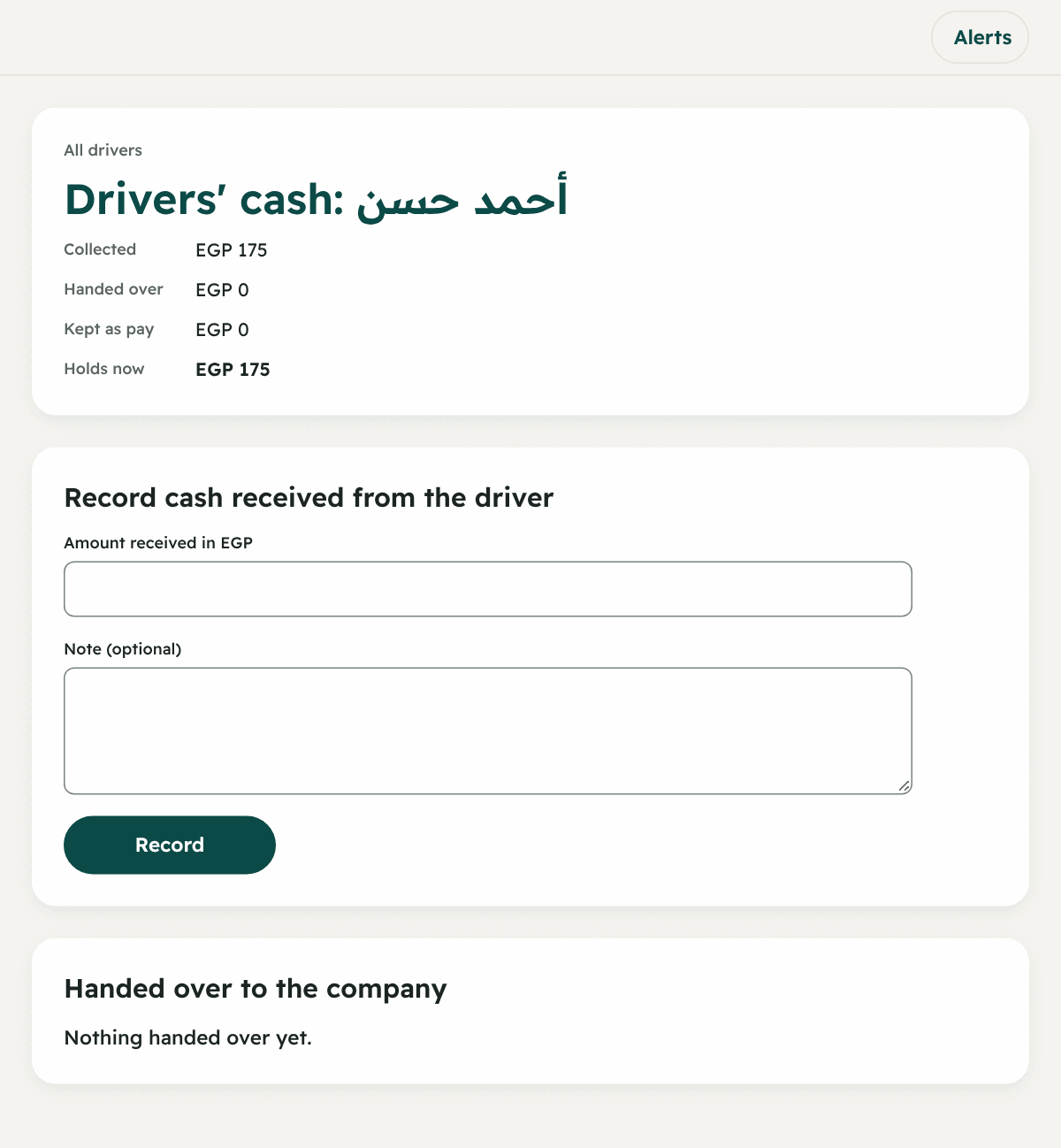
The amount cannot be more than they hold now. Below it you find “Handed over to the company” with the time and who recorded it.
2) Restaurant accounts
“Restaurant accounts” shows any range (up to 93 days):
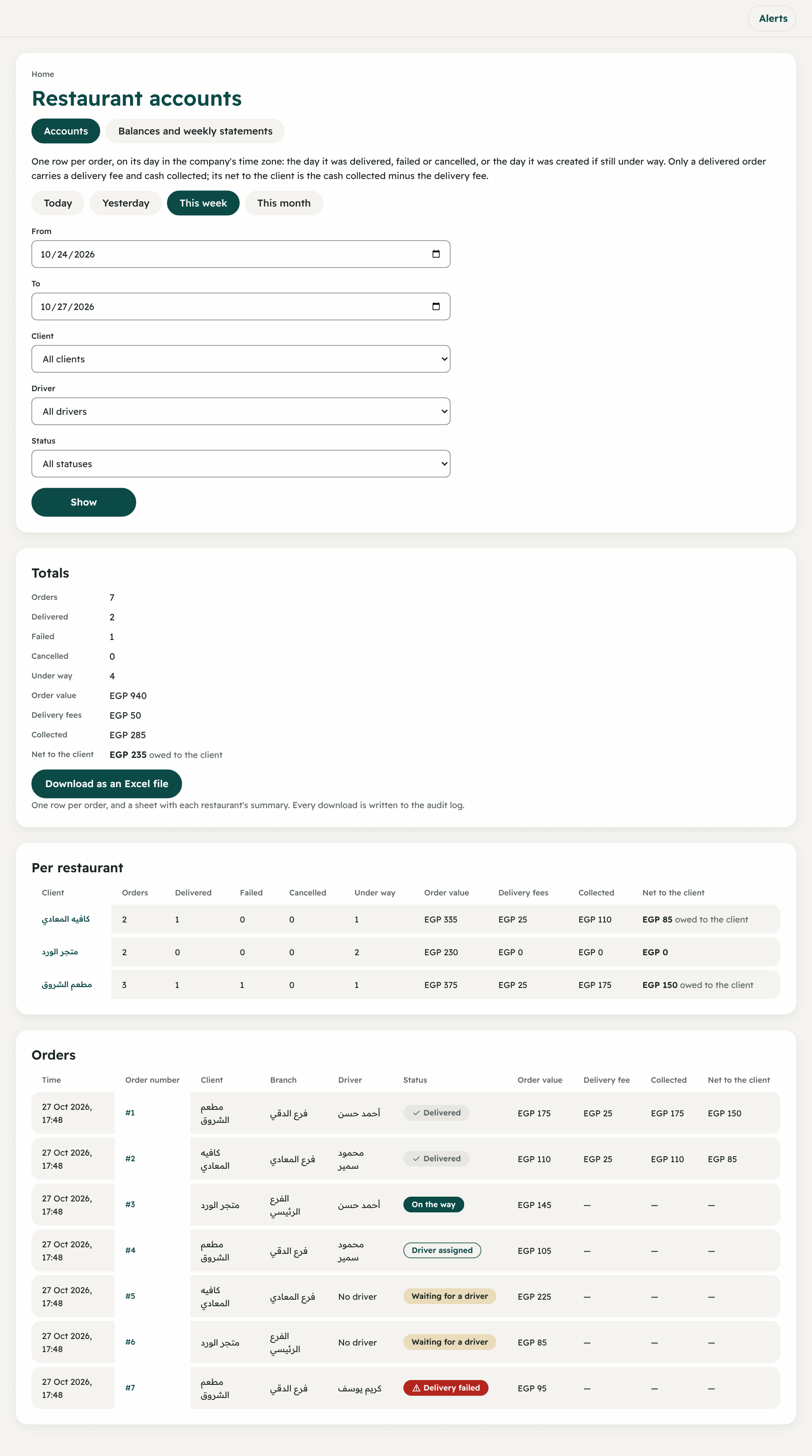
- Choose the range with the buttons “Today / Yesterday / This week / This month” or “From” and “To”.
- Filter by client, driver and state (Delivered / Under way / Cancelled…).
- Press “Show”.
You see: the totals (orders, their value, delivery fees, collected, “Net to the client”), a summary per restaurant, and a line per order. The button “Download as an Excel file” downloads all the orders with a summary sheet (and every download is recorded in the change log).
Balances and weekly statements
In the same page, the tab “Balances and weekly statements”:
- A positive balance (“owed to the client”): the company owes the client.
- A negative balance (“owed by the client”): the client owes the company.
- “Statement” of a client: a week from Saturday to Friday, with the balance at its start and end, each delivered order and its net, and the payments. You move with “Previous week / Next week / This week”. And it can be printed or saved as PDF.
Recording payments with the client
- You paid them: “Record a payment to the client” → the amount, the day paid, how it was paid (Cash / Bank transfer / Mobile wallet / Cheque / Other), a note → “Record payment”. The amount cannot exceed what you owe them.
- You received from them: “Record money received from the client” → the amount → “Record money received”. The amount cannot exceed what they owe you.
- The day cannot be after today.
3) Driver pay
First: choose how pay is worked out (once)
From “Driver pay” → “How pay is worked out”:
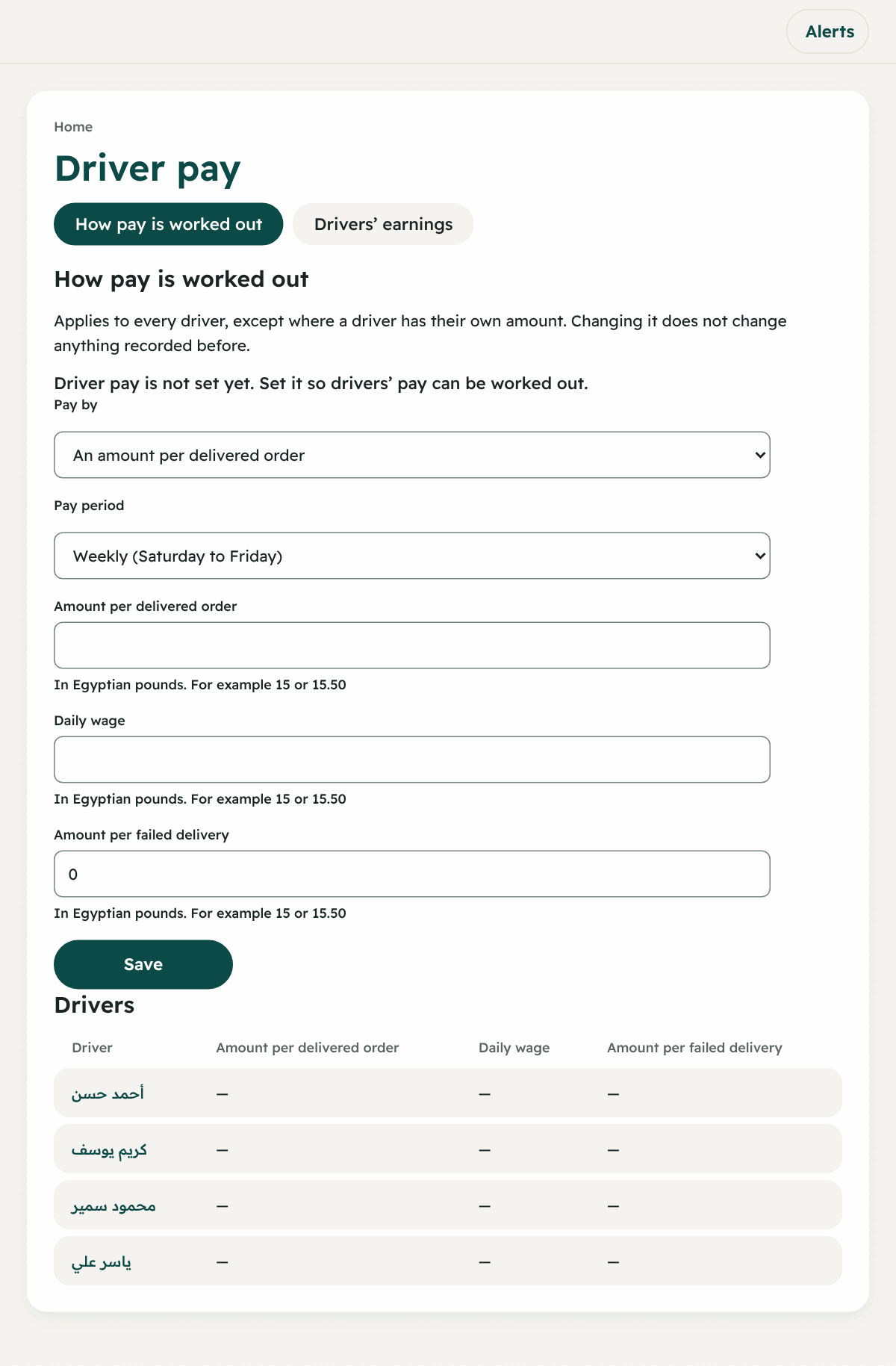
- Pay by:
- “An amount per delivered order”
- “A daily wage for each day checked in”
- “Both”
- Pay period: “Daily”, “Weekly (Saturday to Friday)” or “Monthly”.
- The amounts: “Amount per delivered order”, “Daily wage”, and the amount for a trip where delivery did not happen (a failed trip).
- Press “Save”.
Second: an own pay for one driver
On the driver’s row → “Edit pay”: type own amounts, or leave a box empty so they take the company’s amount. “Remove own amounts and go back to the company’s” brings them back.
Third: reviewing what is due
“Drivers’ earnings” → choose the period: for each driver “Days worked”, “Delivered orders”, “Failed trips”, and “Order pay + Daily pay + failed trip pay = Total”. You can open “Earnings details” for each day.
Fourth: paying the driver
Under “Paying the driver” you see: “Earned to date”, “Paid”, “Still owed” (or “Paid in advance”). Then “Record a payment”:
- The amount, paid on, paid by:
- “Cash” or “Bank transfer” or “Mobile wallet”, or
- “Kept from the cash they hold”: the driver takes their pay from the cash they collected, so what they must hand over goes down. It cannot exceed what they hold.
- A payment may be more than what is due, and then it is paid in advance.
- “Cancel payment”: for the owner, on the day it was recorded only, with a reason. It stays in the record.
4) “Driver accounts”
Like restaurant accounts but for drivers: each order in a line, and a total for each driver: Orders, Collected, Handed over, Cash in hand now, Days worked, Pay for orders, Daily wage, Total pay. With Excel and printing.